
VR Warehouse Training: What It Can Teach and What It Can’t
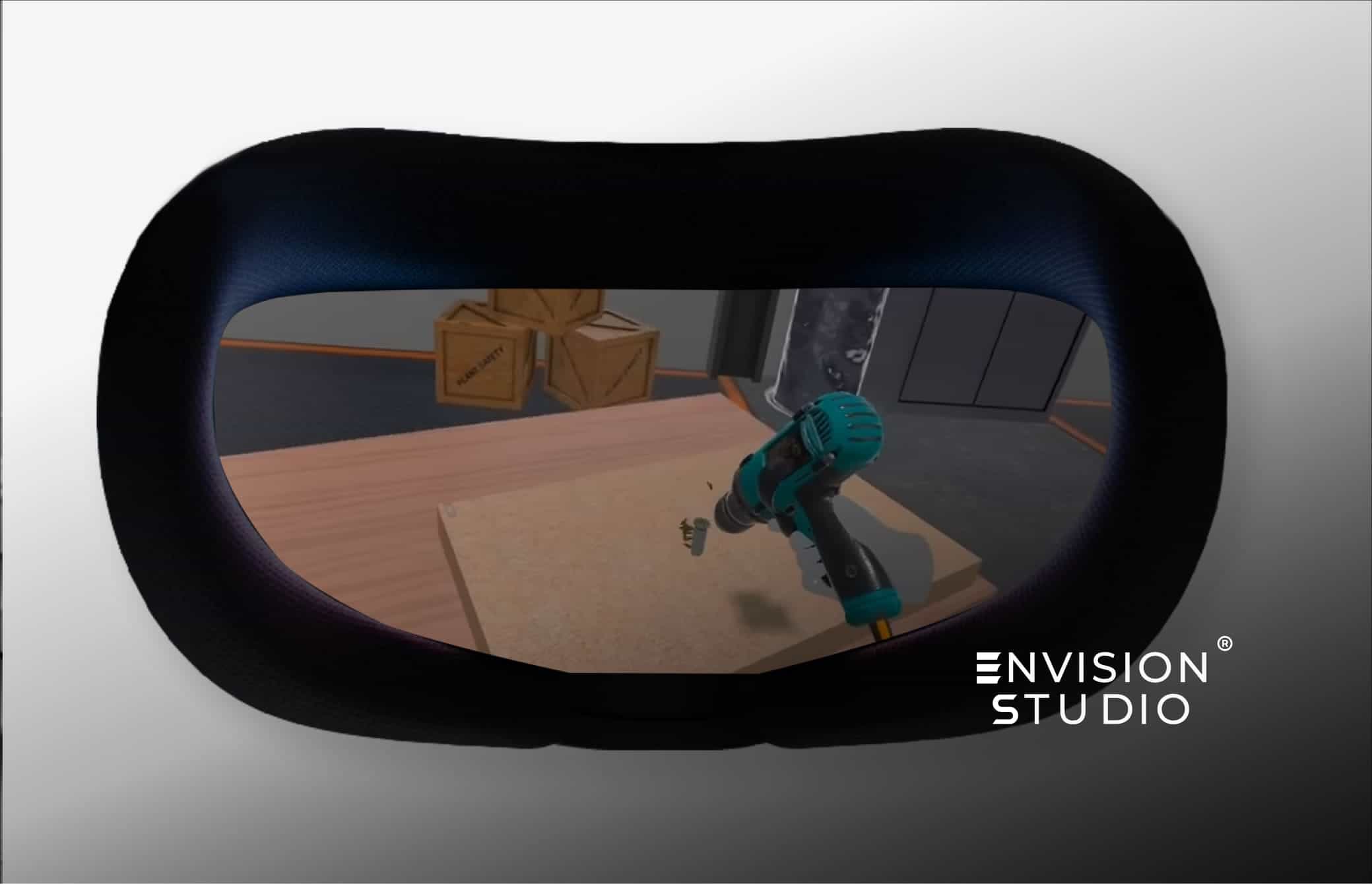
VR warehouse training puts a new hire inside a realistic warehouse before they ever step onto the floor. They receive a delivery, scan a label, pick an order and spot a hazard, all in a headset, with no risk to people, stock or equipment. Done well, it shortens the path from “new” to “confident”.
It is not a magic fix. It teaches some things very well and others not at all. This guide covers five use cases where VR warehouse training works, three limits you should know about, and how to start without a huge budget.
Ready to explore VR warehouse training for your team? Book a free 30-minute consultation with Envision Studio.
Why VR Warehouse Training Is Growing in 2026
A warehouse runs on repeatable steps. Receive, check, store, pick, pack, ship. When someone skips or repeats a step, the mistake travels through the whole operation: wrong stock counts, damaged goods, late orders.
Traditional training has a hidden cost. Every new hire needs an experienced colleague beside them, and that colleague is not doing their own job. During busy periods, many warehouses also bring in temporary staff, and OSHA lists coordinating safety for temporary workers among the common warehouse concerns.
VR changes three things:
- Practice without risk. A trainee can accept a damaged pallet, see what follows and try again. Nothing breaks.
- Repetition on demand. The same scenario runs as many times as needed, without taking a supervisor off the floor.
- Standalone headsets. A headset such as the Meta Quest 3 runs without a PC, so a training room can be set up quickly.
5 Powerful VR Warehouse Training Use Cases in 2026
1. Receiving and Inspection Training
Receiving is where goods first enter your system, so errors here follow the stock everywhere. In VR, a trainee checks a delivery against the paperwork, inspects the goods for damage, records any difference and labels what is accepted.
The simulator can also create the awkward cases: a short shipment, a wrong item, a crushed carton. A trainee who has met these in VR is less likely to freeze when they meet them for real.
2. Put-Away and Storage Location Training
New staff need to learn the layout, the location codes and the storage rules. A virtual copy of your warehouse lets them walk the aisles and place goods in the right locations before they enter the real building. It also lets them practice the rules that matter for safety, such as where heavy items belong.
3. Order Picking and Packing Accuracy
Picking is repetitive, and accuracy depends on habit. A VR module can guide a trainee through a pick route, ask them to confirm each item and then score the result. Accuracy comes first. Speed should only matter once the steps are right.
4. Forklift and Equipment Safety Awareness
VR is a good way to teach awareness around powered equipment: pedestrian zones, blind corners, load limits and safe distances. A trainee can see what a near-miss looks like without anyone being at risk. This builds awareness. It does not replace operator certification, which we cover below.
5. Hazard Spotting and Emergency Response
Spills, blocked exits and damaged racking are easier to remember when you have actually found them. A scene can place several hazards on purpose, and the trainee has to spot them. The same approach works for fire evacuation, where the first real attempt should not be the first attempt. OSHA’s page on warehousing hazards and solutions is a useful reference when you decide which hazards to include.
What a VR Warehouse Training Scenario Looks Like
A short walk-through makes this concrete. Here is how a receiving scenario can run:
- The trainee puts on the headset and finds themselves at a loading dock. A delivery arrives with a packing list.
- They check the goods against the paperwork.
- They inspect the cartons for damage.
- They find a problem, such as a short count or a crushed carton, and decide whether to accept, reject or report it.
- They label and record what they accept.
- A results screen shows which steps were correct, which were skipped and how long each one took.
The trainee can then run the scenario again with a different problem. Because the faults can change between runs, they learn the process rather than memorizing a single script. The trainer, meanwhile, gets a record of what happened instead of relying on a quick impression.
What VR Warehouse Training Cannot Teach: 3 Limits
This is the part most vendors skip. Knowing the limits helps you spend your budget in the right place.
1. Physical feel
The weight of a box, the strain of a long lift and the grip on a pallet jack cannot be simulated with a controller. VR can show correct posture. It cannot make a box heavy. Trainees still need time with real equipment.
2. Real-world noise and teamwork
A real warehouse is loud, busy and unpredictable. Handing over a shift, calling for help and working around other people are mostly learned in person. A simulation can add some pressure, but it is cleaner than the real thing.
3. Operator certification
In the United States, OSHA’s powered industrial truck standard describes operator training as formal instruction, hands-on practice and an evaluation in the workplace. VR can support the instruction part and build awareness. It does not replace the hands-on practice or the workplace evaluation. Rules differ in other countries, so check the requirements that apply to you.
One more point: if your own team has not agreed on the correct process, a simulator will only show that disagreement. Settle the process first, then simulate it.
VR Warehouse Training ROI: What to Expect
We do not put a percentage on savings in this article, because results depend on your process, your staff turnover and how closely the module matches real work. What we can say is where the value usually comes from:
- Less supervisor time spent on basic, repeated instruction.
- Mistakes made in the headset instead of on live stock.
- Scored results that show you where each trainee struggles.
- A module that can be reused for every new group.
For a deeper look at costs and returns, read our XR development cost guide and our VR training ROI comparison.
How to Start VR Warehouse Training: One Section at a Time
A warehouse has many areas, and you do not need to build all of them at once. A section-by-section approach keeps the first budget small and lets real results guide what comes next.
- Pick the section where mistakes cost the most. For many teams this is receiving.
- Write down the process. Steps, order and what counts as a mistake.
- Collect references. Photos of the workspace, labels, documents and equipment make the scene believable.
- Name one reviewer. One person on your side who can answer questions and test builds.
- Test with a small group. Watch how trainees behave and what confuses them.
- Add the next section. Sections can later be combined into one application where trainees choose the section they want to practice.
VR Warehouse Training From Envision Studio
Envision Studio designs and builds VR training simulators for standalone headsets. A typical project combines 3D modeling and animation, UI and UX design, human voice narration and software development, including scoring and results. We agree scope, review points and handover in writing before work starts.
To see how we approach other industries, read our guides to VR training for construction and VR training for healthcare, or visit our VR training solutions page.
Frequently Asked Questions About VR Warehouse Training
What is VR warehouse training?
VR warehouse training uses a headset to place trainees in a simulated warehouse where they practice tasks such as receiving, put-away, picking and safety checks. Their actions can be scored, so trainers see where each person needs more practice.
How much does VR warehouse training cost?
It depends on scope: how many sections, how many scenarios, how much 3D content and whether you want voice narration and scoring. Starting with one section keeps the first budget manageable. Our XR development cost guide explains what drives the price.
What hardware does VR warehouse training require?
A standalone headset, such as the Meta Quest 3, is enough. It does not need a PC. You also need a clear area for trainees to move safely and a plan for charging and storing the headsets.
How long does a VR warehouse training project take?
A single focused section is usually a matter of weeks, not days and not a year. Around six weeks is a reasonable planning figure for one section, depending on scope and how quickly your team gives feedback.
Does VR replace forklift certification?
No. VR is useful for safety awareness and for the instruction part of training. Certification rules, such as OSHA’s in the United States, also require hands-on practice and a workplace evaluation.
Ready to Start VR Warehouse Training?
Tell us which process you want to teach and we will tell you honestly whether VR is the right tool. Book a free 30-minute consultation with Envision Studio and bring your questions.