

Ultimate Guide to RoomPlan – Interior 3D Scanner for iOS That Transforms Spaces
Introduction
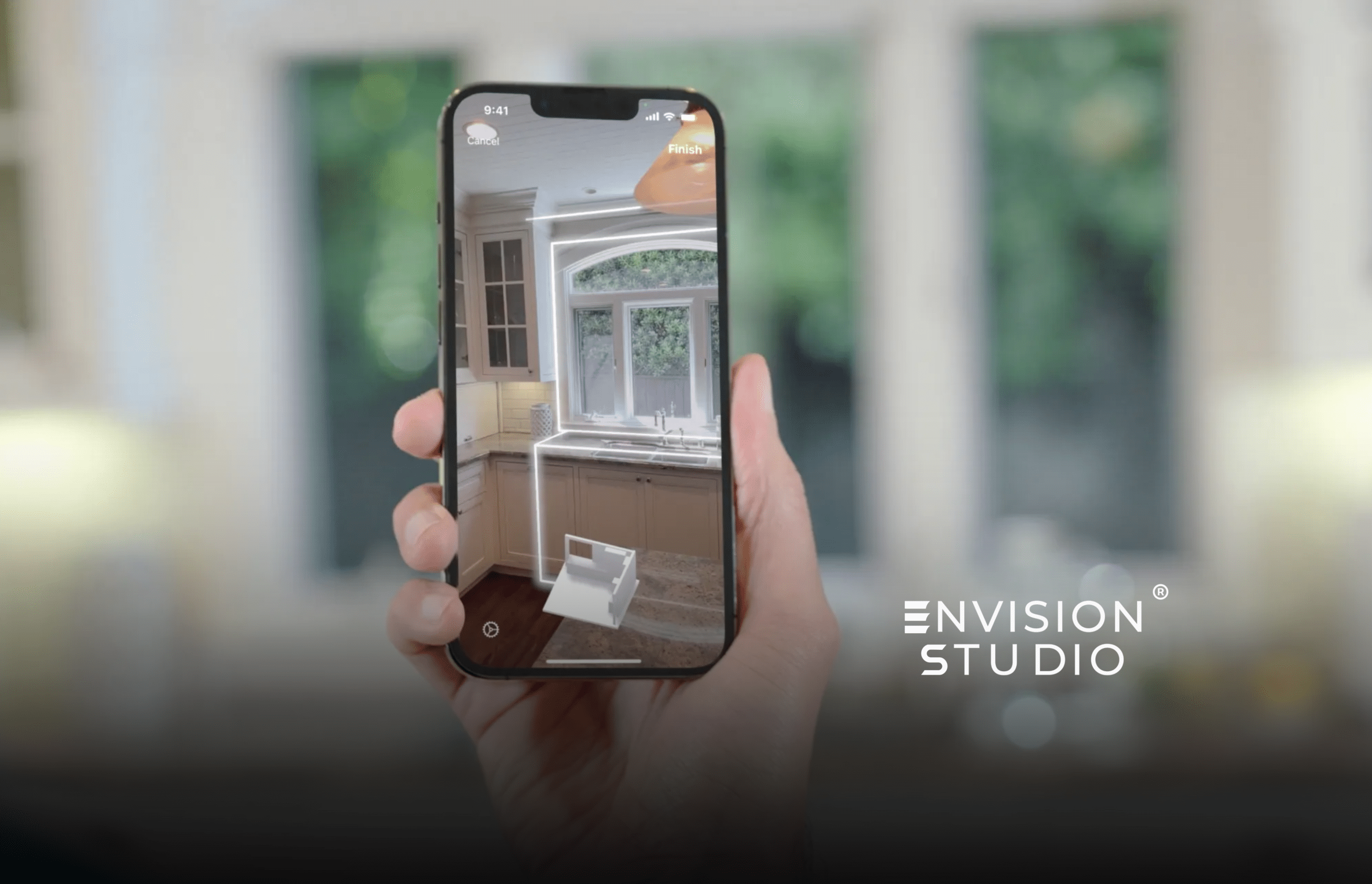
Imagine being able to walk through a room with your iPhone or iPad, scan it in 3D in real time, and get a parametric 3D model – complete with dimensions, walls, openings, and even detected furniture – ready for interior design, architecture, or real estate workflows. That’s exactly what RoomPlan – Interior 3D Scanner for iOS is designed to do.
Built by Apple and powered by ARKit and the device’s LiDAR scanner, RoomPlan is a Swift API framework that enables developers and users to capture spatial data with precision and speed – right from an iOS device.
In this post, we’ll explore everything from how RoomPlan works and what it’s capable of, to its limitations, real-world use cases, and a practical comparison to alternative solutions.
What Is RoomPlan? (Technical Overview)
At its core, RoomPlan is a developer-focused API from Apple that leverages:
-
- ARKit and LiDAR scanning
-
- Swift & RealityKit integration
-
- On-device processing
-
- Export to USD / USDZ formats
Together, these allow apps to generate parametric 3D models of interiors, including floor plans, spatial dimensions, and recognized furniture elements like chairs, tables, and cabinets.
Key Features
Here’s a breakdown of what RoomPlan – Interior 3D Scanner for iOS offers:
| Feature | Description |
| Real-Time LiDAR Scanning | Uses LiDAR + camera to read spatial depth and surface geometry. |
| Parametric Output | Outputs in USD / USDZ formats with dimensions and object metadata. |
| Built-In Coaching UI | Offers user guidance during scan sessions to improve accuracy. |
| Furniture Recognition | Automatic detection of basic room objects (chairs, tables). |
| Customizable UX for Apps | Developers can tailor scanning workflows and UI for specific use cases. |
| Export Compatibility | Works with tools like Cinema 4D, Shapr3D, AutoCAD. |
How RoomPlan Works (Step-by-Step)
From a technical viewpoint, RoomPlan – Interior 3D Scanner for iOS operates through three core stages:
1. Scan Initialization
-
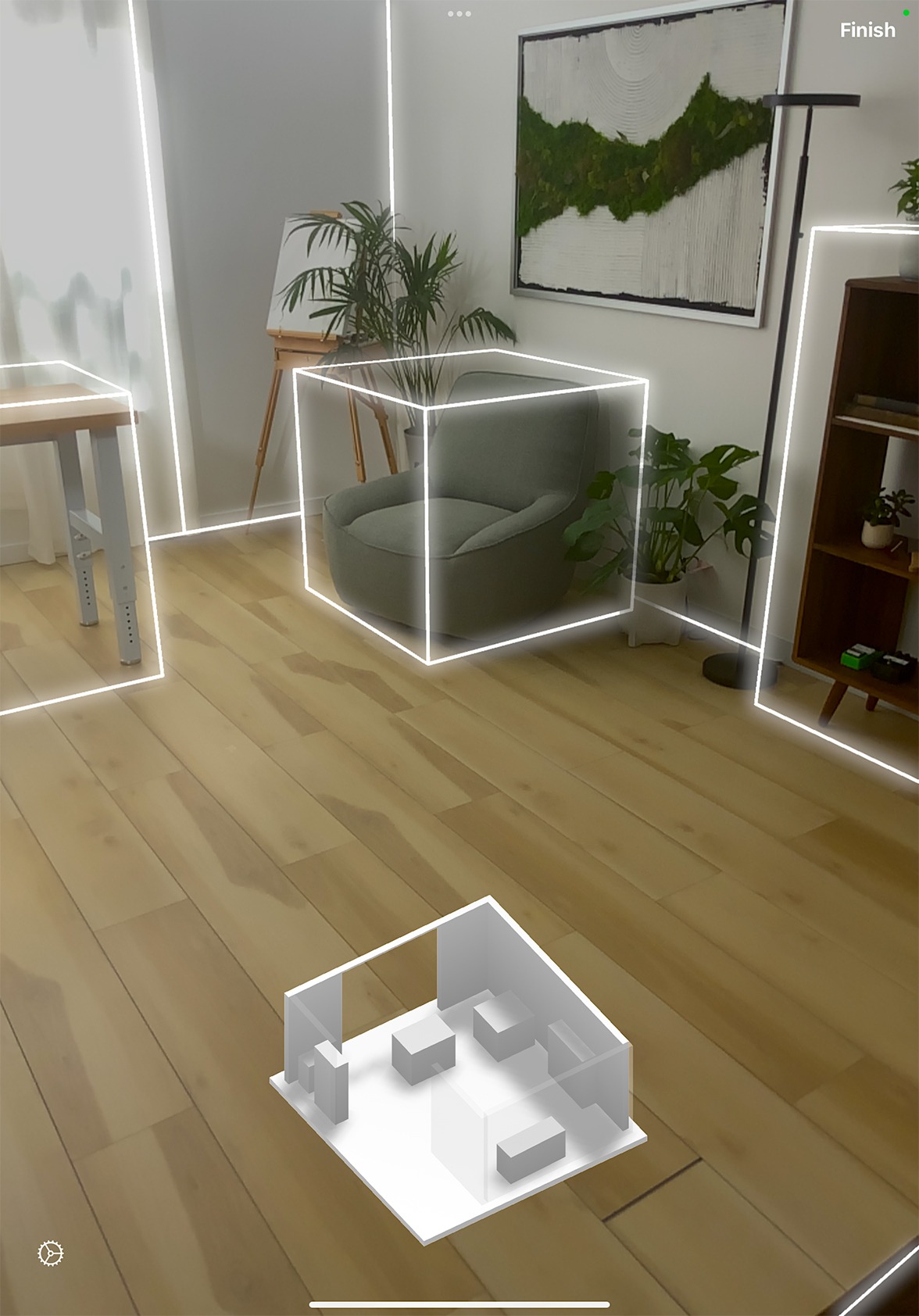
- The app initiates RoomPlan capturing using
RoomCaptureViewController.
- The app initiates RoomPlan capturing using
-
- The device’s camera and LiDAR sensor begin scanning surfaces and geometry.
-
- Visual coaching UI guides users (e.g., “Move slower,” “Cover corners”).
2. Live Reconstruction
This is where ARKit’s spatial understanding kicks in:
-
- LiDAR captures depth.
-
- ARKit interprets geometry.
-
- RealityKit builds a parametric mesh of the room.
-
- On-device machine learning attempts to recognize furniture types from depth data.
3. Output & Export
-
- The scan session completes.
-
- A USD/ USDZ 3D model is generated.
-
- Developers can save or export for further use in 3D tools.
Pro Tip: You can extend this with plugins like roomplan_launcher in Flutter to leverage RoomPlan in cross-platform apps.
RoomPlan in Action: Practical Use Cases
RoomPlan – Interior 3D Scanner for iOS isn’t just a developer toy – it unlocks real-world workflows:
Interior Design & Virtual Staging
-
- Designers can scan a room and prototype layouts instantly. The parametric data helps visualize furniture placement and spatial flow.
Real Estate & Virtual Tours
-
- Agents can generate floor plans with relative ease and offer immersive digital previews to buyers.
Home Renovation & Construction
-
- Contractors can quickly scan existing structures and feed accurate data into CAD software for planning or estimating work.
Furniture Retail
-
- Retail apps can allow customers to scan their room and try different products in AR before purchase.
- Retail apps can allow customers to scan their room and try different products in AR before purchase.
Performance & Accuracy Considerations
Although powerful, RoomPlan has trade-offs you must know:
Strengths
-
- Fast scanning speed with real-time feedback.
-
- On-device processing (privacy protected).
-
- Seamless integration into AR apps.
Limitations
| Limitation | Description |
| Object Recognition is Limited | Only basic furniture types are detected; complex items may be omitted. |
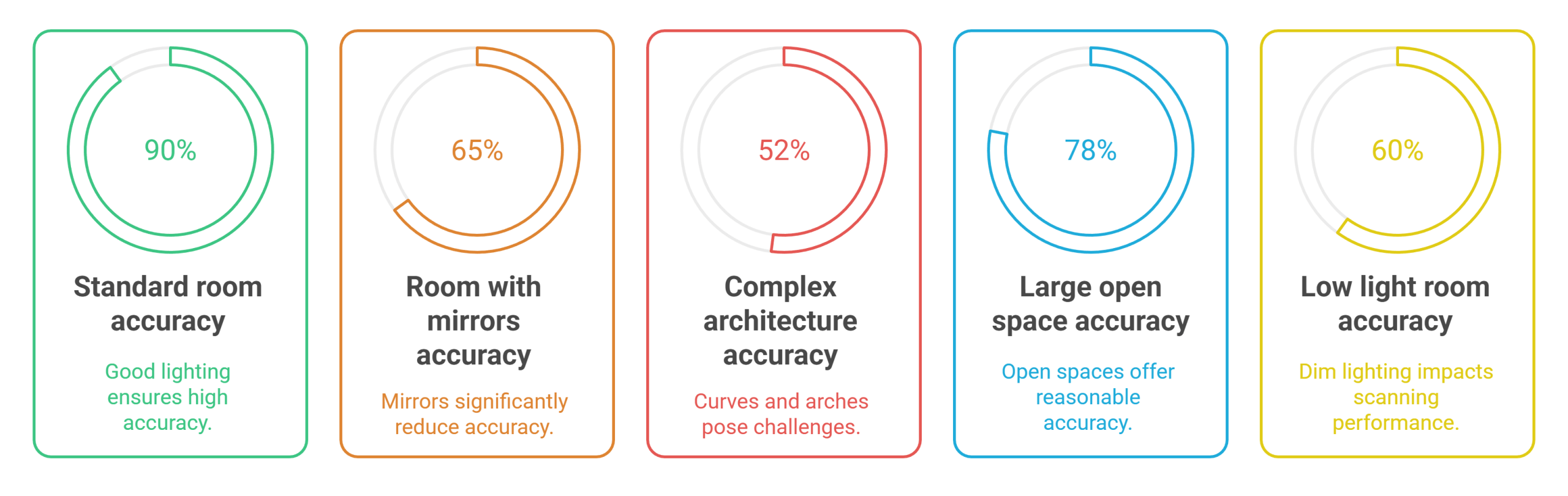
| Geometric Simplification | Curved walls, arches, and custom architectural features may get simplified or misrepresented. |
| Wall Thickness & Accuracy | Walls thicker than ~50 cm can be misinterpreted, and measurement drift may occur. |
| Large or Complex Spaces | Scans recommended for rooms ≤ ~30 ft × 30 ft (≈ 9 × 9 m). |
| Environmental Constraints | Mirrors, open doors, low light, and certain textures can degrade results. |
RoomPlan vs. Other 3D Scanning Options
Here’s how RoomPlan compares to other popular scanning tools:
| Feature | RoomPlan | Polycam | Matterport |
| LiDAR-based | Yes | Yes | Optional |
| Parametric Export | USD / USDZ | Yes | Yes |
| Furniture Auto-Detection | Basic | Advanced | Varies |
| SDK for Apps | Yes | No | No |
| Enterprise Suitability | Medium | Medium | High |
| Cost | Free (API) | Paid tiers | Paid tiers |
Fact: Native integration into iOS and Swift apps makes RoomPlan a unique choice for developers building AR/AR-enhanced services.
Device & Developer Requirements
To use RoomPlan effectively, you need:
iOS 16+ or iPadOS 16+
LiDAR-equipped device (e.g., iPhone Pro models or iPad Pro)
Xcode with RoomPlan SDK
Swift / ARKit skillset
For cross-platform implementations, plugins like roomplan_launcher or flutter_roomplan help integrate RoomPlan via Flutter apps.
Best Practices for High-Quality Scans
To make the most of RoomPlan’s capabilities:
-
- Ensure good lighting (daylight preferred).
-
- Scan methodically – start at opposite corners.
-
- Avoid mirrors and glossy surfaces where possible.
-
- Limit scan sessions < 5 min to avoid device overheating.
- Limit scan sessions < 5 min to avoid device overheating.
Conclusion
RoomPlan – Interior 3D Scanner for iOS is a cutting-edge tool in Apple’s AR ecosystem. It’s a powerful way to capture room geometry quickly and integrate that data into workflows ranging from mobile apps to professional design tools. While there are limitations – especially with complex shapes and environmental factors – its speed, real-time feedback, and developer flexibility make it a compelling choice for modern AR applications.
If you’re developing interior design tools, real estate tech, or 3D visualization apps, RoomPlan can give you a head start.
Ready to Bring Your Space to Life?
Take your interior design or visualization project to the next level with professional 3D scanning services from Envision Studio. Whether you need custom AR experiences or advanced spatial modeling, Envision Studio can help – visit https://envisionstudio.xyz/ to get started today!