

 stargaze_admin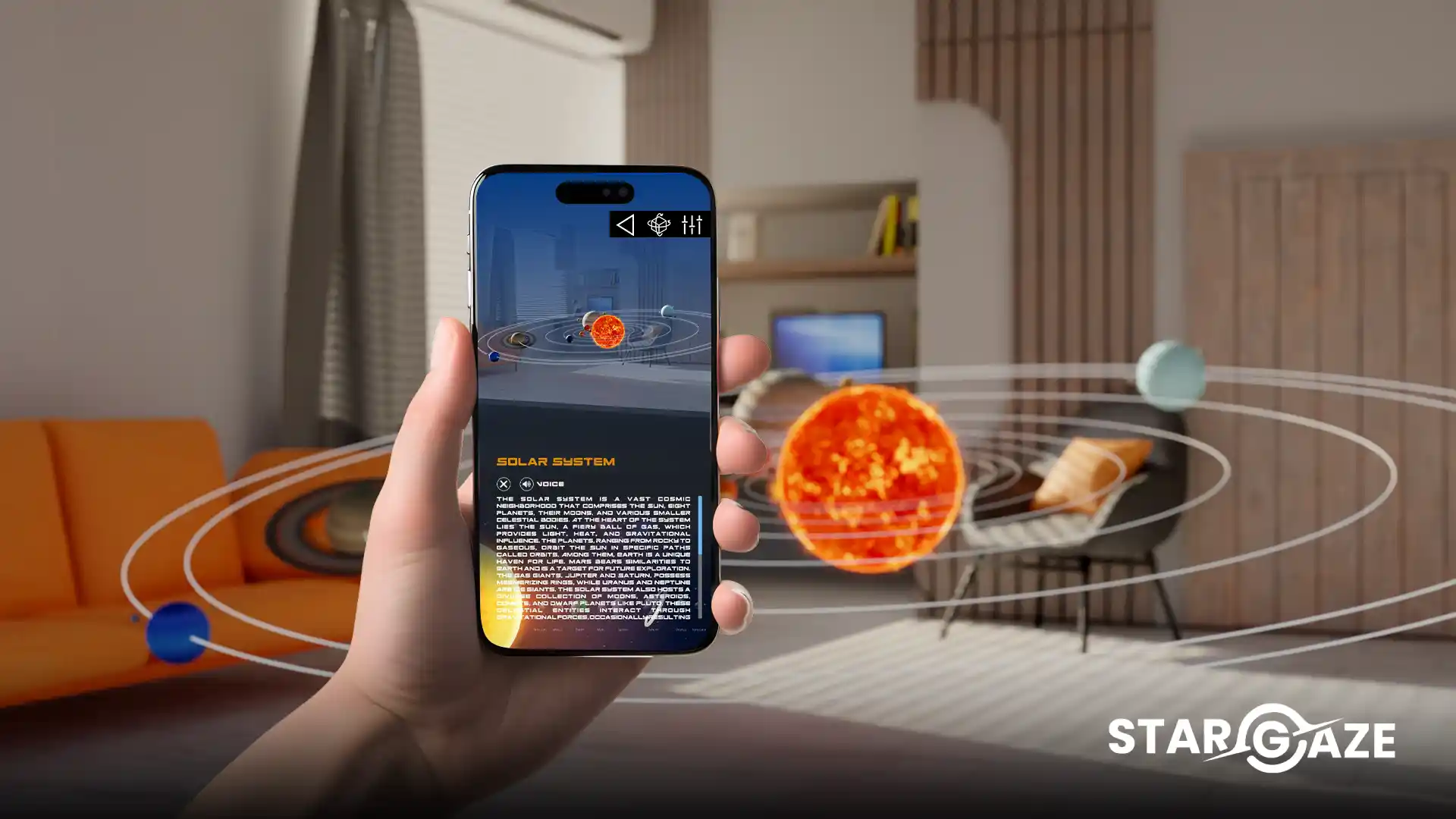
If you own a Meta Quest headset and love space — this guide is for you. Stargaze Meta Quest is one of the most immersive space exploration experiences available on any VR platform in 2026. In this complete guide we walk you through everything you need to know — setup, features, tips and why it’s worth every penny.
👉 Download now: Meta Quest Store
Also available free on smartphones: App Store Free | Google Play Free
What Is Stargaze Meta Quest?
Stargaze Meta Quest — officially listed as Stargaze XR on the Meta Store — is an augmented reality and mixed reality space exploration app developed by Envision Studio. It uses the headset’s passthrough cameras to blend stunning photorealistic 3D planets, spacecraft and astronauts directly into your real physical environment.
Unlike the smartphone version which overlays content onto a phone screen, the Stargaze Meta Quest experience is fully immersive. Put on your headset, point it at any surface, and watch the solar system materialise in your living room at room scale. Walk around a full-size Saturn. Stand next to a life-size Neil Armstrong. Examine the Hubble Telescope from every angle — all in your own home.
This is what makes the experience genuinely extraordinary — the transition from looking at space on a screen to actually being inside it.
What’s Included
🪐 10 Planet Models
Every planet in our solar system is available — Mercury, Venus, Earth, Mars, Jupiter, Saturn, Uranus, Neptune, Pluto and the Sun. Each is rendered in photorealistic 3D with accurate scale, surface texture and atmospheric detail.
The scale comparison in Stargaze Meta Quest is particularly powerful. Standing next to a room-scale Jupiter — seeing its Great Red Spot at eye level — gives you a visceral understanding of planetary scale that no textbook or flat-screen app can replicate.
🚀 10 Spacecraft Models
The app includes 10 iconic spacecraft from the history of space exploration:
- Voyager — humanity’s most distant envoy, now in interstellar space
- Hubble Telescope — the orbital observatory that transformed astronomy
- New Horizons — the first probe to photograph Pluto up close
- Cassini — the Saturn orbiter that discovered geysers on Enceladus
- Eagle Landing Module — the Apollo 11 lander that carried Armstrong and Aldrin to the Moon
- Juno — currently studying Jupiter’s interior
- Shuttle Atlantis — one of NASA’s iconic Space Shuttle fleet
- Satellite — a communications satellite model
- Ground Satellite — a ground-based satellite dish
- Apollo 11 Command Module — the capsule that returned the crew safely to Earth
Each spacecraft can be examined from every angle in full room-scale mixed reality — a genuinely awe-inspiring experience.
👨🚀 7 Real Astronaut Models
The app includes life-size 3D models of 7 real pioneering astronauts:
- Neil Armstrong — first human to walk on the Moon
- Yuri Gagarin — first human in space
- Buzz Aldrin — second human to walk on the Moon
- Valentina Tereshkova — first woman in space
- Chris Hadfield — Canadian astronaut and beloved science communicator
- Mae Jemison — first African-American woman in space
- Sally Ride — first American woman in space
Standing face to face with a life-size Yuri Gagarin in mixed reality is one of those genuinely memorable moments that only Stargaze Meta Quest makes possible.
How to Download and Set Up Stargaze Meta Quest
Step 1 — Purchase and Download
Step 1 → On your headset open the Meta Store Step 2 → Search for “Stargaze XR” Step 3 → Or visit: meta.com/experiences/stargaze-xr Step 4 → Purchase and download ✅
Step 2 — Launch the App
Step 1 → From your home screen find Stargaze XR in your app library Step 2 → Click to launch Step 3 → Allow camera access for passthrough mixed reality ✅
Step 3 — Set Up Your Space
For the best experience:
Step 1 → Clear a space of at least 2×2 metres around you Step 2 → Make sure the floor and nearby surfaces are clear Step 3 → Good lighting helps the passthrough cameras track surfaces accurately Step 4 → Point your gaze at the floor or a table when prompted ✅
Step 4 — Start Exploring
Step 1 → The main menu will appear in your environment Step 2 → Select Planets, Spacecraft or Astronauts Step 3 → Choose your object — for example Jupiter Step 4 → Watch it appear in your real environment at the selected scale Step 5 → Walk around it, zoom in and explore ✅
Tips and Tricks for Stargaze Meta Quest
Tip 1 — Use Room Scale for Maximum Impact
The experience is most powerful at room scale. When placing a planet or spacecraft choose the largest scale option — having a full-size Saturn in your living room is genuinely breathtaking.
Tip 2 — Explore All Three Categories
Many users explore planets and miss the spacecraft and astronaut collections. The spacecraft models are particularly impressive — the Hubble Telescope and Cassini probe are rendered in extraordinary detail.
Tip 3 — Dim the Lights for Atmosphere
For a more immersive experience try dimming your lights. The passthrough cameras adjust well and the planets and spacecraft look even more dramatic against a darker background.
Tip 4 — Share the Experience
Stargaze Meta Quest is a fantastic shared experience. Pass the headset around — watching someone’s reaction the first time they see room-scale Jupiter appear in their living room never gets old.
Tip 5 — Use It for Teaching
If you’re a teacher — start with the planet size comparison. Placing Earth and Jupiter side by side at room scale immediately communicates the extraordinary scale differences in our solar system better than any classroom tool available.
Compatible Meta Quest Headsets
| Headset | Compatibility |
|---|---|
| Meta Quest 2 | ✅ Compatible |
| Meta Quest 3 | ✅ Compatible — best experience |
| Meta Quest 3S | ✅ Compatible |
| Meta Quest Pro | ✅ Compatible |
For the best experience we recommend Meta Quest 3 — its full-colour passthrough cameras deliver the most immersive mixed reality, making planets and spacecraft blend most naturally into your real environment.
Stargaze Meta Quest vs Stargaze on Smartphone
| Feature | Stargaze Meta Quest | Stargaze AR Smartphone |
|---|---|---|
| Immersion level | Full mixed reality | Phone screen overlay |
| Room scale objects | ✅ Yes | Limited |
| Hands-free exploration | ✅ Yes | No — hold phone |
| Price | Paid | Free version available |
| Best for | Deep immersive experience | Quick accessible exploration |
| Platforms | Meta Quest 2/3/3S/Pro | iOS and Android |
Both versions complement each other perfectly. Use the smartphone version — available free on iOS and Android — for everyday exploration, and Stargaze Meta Quest for the full immersive experience.
About Envision Studio
The app is developed by Envision Studio — a world-class XR development company based in Colombo, Sri Lanka, trusted by governments and global enterprises across the US, Europe, Singapore and Japan. The same expertise that powers enterprise XR solutions worldwide has been applied to making space exploration accessible to everyone through Stargaze AR.
Frequently Asked Questions
What is Stargaze Meta Quest? Stargaze Meta Quest — officially called Stargaze XR — is an augmented reality space exploration app that places photorealistic 3D planets, spacecraft and astronauts in your real environment through mixed reality. Download it at the Meta Store.
Is Stargaze Meta Quest free? The Meta Quest version is a paid app. A free version of Stargaze AR is available on iOS and Android for smartphone users.
Which headsets does it work on? Stargaze Meta Quest is compatible with Meta Quest 2, Quest 3, Quest 3S and Meta Quest Pro. The best experience is on Meta Quest 3 due to its full-colour passthrough cameras.
How do I download Stargaze on Meta Quest? Open the Meta Store on your headset, search for “Stargaze XR” or visit meta.com/experiences/stargaze-xr, purchase and download the app.
How much space do I need? For the best Stargaze Meta Quest experience we recommend a clear space of at least 2×2 metres. The app works in smaller spaces but room-scale planets are most impressive with more room to move.
Is it good for kids? Absolutely — the app is designed for all ages from 5 to adult. Under adult supervision Meta Quest is an excellent educational tool for children to experience the solar system in immersive mixed reality.
Can I use it in a classroom? Yes — Stargaze Meta Quest is an outstanding classroom tool for space science education, helping teachers demonstrate planet sizes, spacecraft missions and astronaut history in an immersive way that traditional teaching cannot match.
👉 Download Stargaze XR on Meta Quest now: Meta Quest Store
Also available free on smartphones: App Store Free | App Store Premium | Google Play Free | Google Play Premium